<feed xmlns="http://www.w3.org/2005/Atom">
  <id>https://uiuxassets.com/feed-blog.xml</id>
  <title>UI/UX Assets - Blog</title>
  <subtitle>Latest blog posts by UI/UX Assets.</subtitle>
  <link href="https://uiuxassets.com/feed-blog.xml" rel="self" />
  <link href="https://uiuxassets.com" rel="alternate" />
  <icon>https://uiuxassets.com/media/site/d47f7ac79a-1749935961/icon.png</icon>
  <updated>2025-06-14T21:18:34+00:00</updated>
  <rights>© 2026 - UI/UX Assets</rights>
  <author>
    <name>UI/UX Assets</name>
    <email>hello@uiuxassets.com</email>
    <uri>https://uiuxassets.com</uri>
  </author>

      <entry>
      <id>https://uiuxassets.com/blog/why-using-a-ui-kit-will-make-your-design-process-more-efficient</id>
      <link rel="alternate" href="https://uiuxassets.com/blog/why-using-a-ui-kit-will-make-your-design-process-more-efficient" />
      <title>Why Using a UI Kit Will Make Your Design Process More Efficient</title>
      <published>2022-12-08T18:50:00+00:00</published>
      <updated>2025-06-14T21:18:31+00:00</updated>

      
              <summary>As a designer, it's important to constantly strive for efficiency in your work. After all, a faster design process means more time for iteration and refinement, ultimately leading to better results for your clients or projects.One tool that can greatly aid in this pursuit of efficiency is a UI Kit. A UI Kit, also known as a user interface kit or design system, is a collection of pre-designed …</summary>
      
              <content type="html"><![CDATA[  <div class="paragraph">
    <p>As a designer, it's important to constantly strive for efficiency in your work. After all, a faster design process means more time for iteration and refinement, ultimately leading to better results for your clients or projects.</p><p>One tool that can greatly aid in this pursuit of efficiency is a UI Kit. A UI Kit, also known as a user interface kit or design system, is a collection of pre-designed components and elements that can be easily imported into a design project. This can include common elements such as buttons, form fields, and navigation bars, as well as more complex components such as carousels and modal windows. Using a UI Kit in your design process has a number of benefits that can help make your work more efficient. For one, it allows you to quickly and easily incorporate commonly used elements into your designs, rather than having to design them from scratch each time. This not only saves time, but it also ensures that these elements are consistent across your designs, helping to create a cohesive and professional final product.</p><p>Another benefit of using a UI Kit is that it can help to establish and enforce design standards and best practices within your team or organization. By providing pre-designed components that are in line with these standards, a UI Kit can help to ensure that all designs are consistent and of high quality, without the need for extensive review and feedback. This can save a significant amount of time and effort, and can help to improve the overall quality of your designs.</p><p>In addition to the time savings and consistency benefits, using a UI Kit can also help to improve the user experience of the final product. By providing a set of well-designed and tested components, a UI Kit can help to ensure that your designs are intuitive and easy to use. This can ultimately lead to happier and more satisfied users, which is always the ultimate goal of any design project.</p><p>Overall, using a UI Kit in your design process can bring a number of benefits that can help to make your work more efficient and effective. Whether you're working on a large-scale project with a team of designers, or tackling a smaller project on your own, a UI Kit can be a valuable tool in your design toolkit. So next time you start a new design project, consider incorporating a UI Kit to help streamline your process and improve the final product.</p>  </div>
]]></content>
      
    </entry>
      <entry>
      <id>https://uiuxassets.com/blog/best-grid-system-for-interface-design</id>
      <link rel="alternate" href="https://uiuxassets.com/blog/best-grid-system-for-interface-design" />
      <title>Best Grid System for Interface Design</title>
      <published>2021-12-01T17:18:00+00:00</published>
      <updated>2025-06-14T21:18:31+00:00</updated>

      
              <summary>An easy step to improve the overall harmony of an interface is to be consistent when it comes to spacing between elements. It all boils down to having a grid that your design follows. It's not much about the size of each component but more about the spacing in between. It's like the dark matter of your interface that holds everything together. If this empty space follows a well-defined logic, …</summary>
      
              <content type="html"><![CDATA[<p><img src="https://uiuxassets.com/media/pages/blog/best-grid-system-for-interface-design/2069be4365-1749935911/best-grid-system-for-interface-design.png" width="3200" height="1600" alt="Best Grid System for Interface Design"></p>  <div class="paragraph">
    <p>An easy step to improve the overall harmony of an interface is to be consistent when it comes to spacing between elements. It all boils down to having a grid that your design follows. It's not much about the size of each component but more about the spacing in between. It's like the dark matter of your interface that holds everything together. If this empty space follows a well-defined logic, your interface will feel more structured.</p><p>As an example, take a module containing a chart, a title, and some values. It's not very important if the module measures 480px in width; the tiny bits matter. If the spacing between elements is based on specific numbers and not some random ones, everything will have a touch of consistency and order.</p><p>Additionally, a grid will also help make more informed choices and move forward quickly when laying out your design. Instead of thinking about the distance between two elements, knowing that 8px or 16px are commonly used, you can quickly define the spacing and move forward.</p>  </div>
  <h2 class="title-h3">Which grid should you choose?</h2>
  <div class="paragraph">
    <p>There are many popular grids, and to be honest, it doesn't matter which one you choose. What matters is consistency, that you pick a grid and you stick to it.</p><p>Personally, I use the 8px grid. It's a popular one, and I've used it for years. My brain jumps between those numbers: 16, 8, 48, 64, 80, and so on. I would recommend a grid with an increment that isn't too large or too small. You want to see the difference between two increments (8px and 16px, or 24px and 32px). Another popular one is 10px but dividing 10 by 2 equals 5, or adding half of your main nudge equals 15, dividing that by 2, and you end up with 7.5px. Well, you get the idea; I find it less flexible.</p><p>As you might have noticed, I used the word "nudge". You can change this value in the settings of Sketch and Figma. Then you can use your arrow keys to nudge your elements around. The "small nudge" with just the arrow keys. And the "big nudge" when you hold down the shift key.</p>  </div>
  <h2 class="title-h3">Exceptions are fine</h2>
  <div class="paragraph">
    <p>What if you're using the 8px grid and neither 8px nor 16px looks good or is practical. Break the rule and use a 4px spacing, 6px, or whatever works for that specific element. What if 7px is the perfect balance between your icon and text? That is fine!</p>  </div>
  <h2 class="title-h3">Keeping your team and developers happy</h2>
  <div class="paragraph">
    <p>Another important note is that your team should be in line with the grid. Especially developers, knowing that your design is based on a grid helps them too.</p>  </div>
]]></content>
      
    </entry>
      <entry>
      <id>https://uiuxassets.com/blog/introducing-figkit-the-ultimate-wireframe-kit-for-figma</id>
      <link rel="alternate" href="https://uiuxassets.com/blog/introducing-figkit-the-ultimate-wireframe-kit-for-figma" />
      <title>Introducing Figkit, the Ultimate Wireframe Kit for Figma</title>
      <published>2021-11-11T13:10:00+00:00</published>
      <updated>2025-06-14T21:18:31+00:00</updated>

      
              <summary>Today we're finally launching Figkit for Figma. Figkit is a wireframe library with a huge collection of components and variants. In summary, this kit will help you:</summary>
      
              <content type="html"><![CDATA[<p><img src="https://uiuxassets.com/media/pages/blog/introducing-figkit-the-ultimate-wireframe-kit-for-figma/d6dd48e437-1749935911/figkit-figma.jpg" width="2880" height="1800" alt="Introducing Figkit, the Ultimate Wireframe Kit for Figma"></p>  <div class="paragraph">
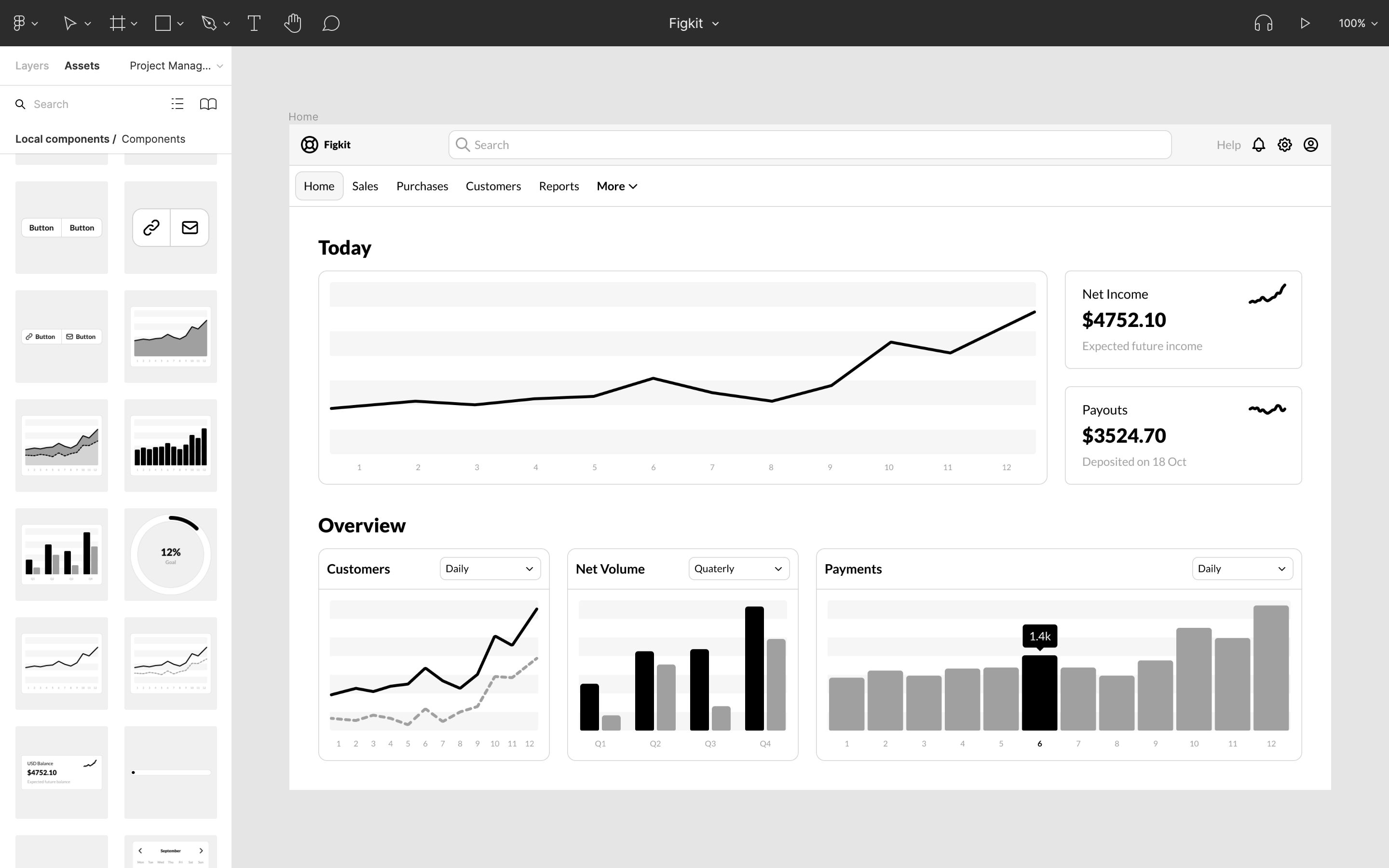
    <p>Today we're finally launching Figkit for Figma. Figkit is a wireframe library with a huge collection of components and variants. In summary, this kit will help you:</p>  </div>
  <div class="paragraph">
    <ul><li>Get the&nbsp;<strong>design</strong>&nbsp;/&nbsp;<strong>layout</strong>&nbsp;/&nbsp;<strong>UX</strong>&nbsp;just right.</li><li>Spend less time pushing pixels and more time on determine the most important problem to solve.</li><li>Figure out in broad strokes how to solve it with a collection of components for Figma.</li></ul>  </div>
  <div class="paragraph">
    <p>We have created a dedicated website that is presenting the kit in more detail, you can visit <a href="https://figkit.com" target="_blank" rel="noopener noreferrer nofollow">figkit.com</a> to learn more about it.</p>  </div>
]]></content>
      
    </entry>
      <entry>
      <id>https://uiuxassets.com/blog/how-to-create-your-own-logo</id>
      <link rel="alternate" href="https://uiuxassets.com/blog/how-to-create-your-own-logo" />
      <title>How to Create Your Own Logo</title>
      <published>2020-10-05T16:15:00+00:00</published>
      <updated>2025-06-14T21:18:33+00:00</updated>

      
              <summary>I’m not a logo designer. Still, from time to time I find myself in the process of crafting one and getting a logo is a great feeling. Suddenly your business or idea have an identity, it is happening, it is real.Search online and you’ll find lots of articles on what defines a good logo. You can buy books on this topic, some of our very own dedicates their lives to this craft. This tutorial though, …</summary>
      
              <content type="html"><![CDATA[<p><img src="https://uiuxassets.com/media/pages/blog/how-to-create-your-own-logo/44d742de8f-1749935911/create-your-own-logo.png" width="2880" height="1560" alt="How to Create Your Own Logo"></p>  <div class="paragraph">
    <p>I’m not a logo designer. Still, from time to time I find myself in the process of crafting one and getting a logo is a great feeling. Suddenly your business or idea have an identity, it is happening, it is real.</p><p>Search online and you’ll find lots of articles on what defines a good logo. You can buy books on this topic, some of our very own dedicates their lives to this craft. This tutorial though, will only focus on the essentials: I will take you through my core principles that I tend to follow and I promise, they will take you far. So, without further ado, let’s get cracking!</p>  </div>
  <h2 class="title-h3">Identity</h2>
  <div class="paragraph">
    <p>You might have an initial idea of a possible outcome but it’s good to do some research. It will help you create clarity and it can be as easy as answering a few questions.</p><p>Let’s take an example, your target audience. Quite often people will say their product or service is for everyone, when in fact it’s an app for millennials living in big cities, in Europe. If you want to make solid decisions, you need to be specific.</p>  </div>
  <div class="paragraph">
    <p><strong>Some useful questions to answer:</strong></p>  </div>
  <div class="paragraph">
    <ul><li><p>What do you want your logo to be associated with?</p></li><li><p>Who is your target audience?</p></li><li><p>What’s the history behind your brand?</p></li><li><p>What’s your vision?</p></li></ul>  </div>
  <div class="paragraph">
    <p>You want the logo to reflect your core values. When it comes to product design we usually say “form follows function” but when it comes to logo design, maybe we can say “form follows identity”.</p>  </div>
  <h2 class="title-h3">Colors</h2>
  <div class="paragraph">
    <p>If you already have a style guide, that’s great. But I’d suggest to focus on black and white to begin with.</p>  </div>
  <h2 class="title-h3">Sketch</h2>
  <div class="paragraph">
    <p>Get some dotted paper, it's awesome. Especially when sketching a logo, personally I can’t live without it.</p><p>Now just let it go, quality is not important but quantity. Get your timer ready and sketch intensely for short intervals, like 3 minutes. Make it a game and play!</p>  </div>
  <h2 class="title-h3">Digital</h2>
  <div class="paragraph">
    <p>Scan or take photos of your favorite ideas and add them to your design tool of choice, some I recommend:</p>  </div>
  <div class="paragraph">
    <ul><li><p><a href="https://affinity.serif.com/en-us/designer/" target="_blank" rel="noopener noreferrer nofollow">Affinity Designer</a></p></li><li><p><a href="https://www.sketch.com/" target="_blank" rel="noopener noreferrer nofollow">Sketch</a></p></li><li><p><a href="https://www.figma.com/" target="_blank" rel="noopener noreferrer nofollow">Figma</a></p></li></ul>  </div>
  <div class="paragraph">
    <p>Play with shapes and type, at this stage it shouldn’t be pixel perfect.</p>  </div>
  <h2 class="title-h3">Typography</h2>
  <div class="paragraph">
    <p>Start from scratch or find a typeface that matches with your design, investing in a nice font is totally worth it. I like to support independent type foundries, here’s a couple I love:</p>  </div>
  <div class="paragraph">
    <ul><li><p><a href="http://www.losttype.com/" target="_blank" rel="noopener noreferrer nofollow">Lost Type</a></p></li><li><p><a href="https://www.motyfo.com/" target="_blank" rel="noopener noreferrer nofollow">Mostardesign Type Foundry</a></p></li><li><p><a href="https://www.youworkforthem.com/" target="_blank" rel="noopener noreferrer nofollow">YouWorkForThem</a></p></li><li><p><a href="https://blog.spoongraphics.co.uk/articles/25-classic-fonts-that-will-last-a-whole-design-career/" target="_blank" rel="noopener noreferrer nofollow">25 Classic Fonts</a></p></li></ul>  </div>
  <h2 class="title-h3">Engineering</h2>
  <div class="paragraph">
    <p>It’s time to refine your logo. Start by defining a grid, I usually go with a multiplier of 8px. Use operations such as "Union" and "Subtract" to merge and simplify your shapes. To make the type crisp you probably need to convert layers to curves and manually snap points to the grid.</p><p>Always design @1x. Since everything is vector based you can scale your design and maintain pixel perfect quality. What you don't want is to divide the logo to make it smaller. You'll most likely end up with a blurred result.</p><p><strong>Some key points to review:</strong></p>  </div>
  <div class="paragraph">
    <ul><li><p>Use a grid</p></li><li><p>Always design @1x</p></li><li><p>Convert type to curves</p></li><li><p>Make sure curves are clean</p></li><li><p>Combine elements in simple and unique shapes</p></li><li><p>Avoid transparency</p></li><li><p>Never include photos</p></li></ul>  </div>
  <h2 class="title-h3">Social</h2>
  <div class="paragraph">
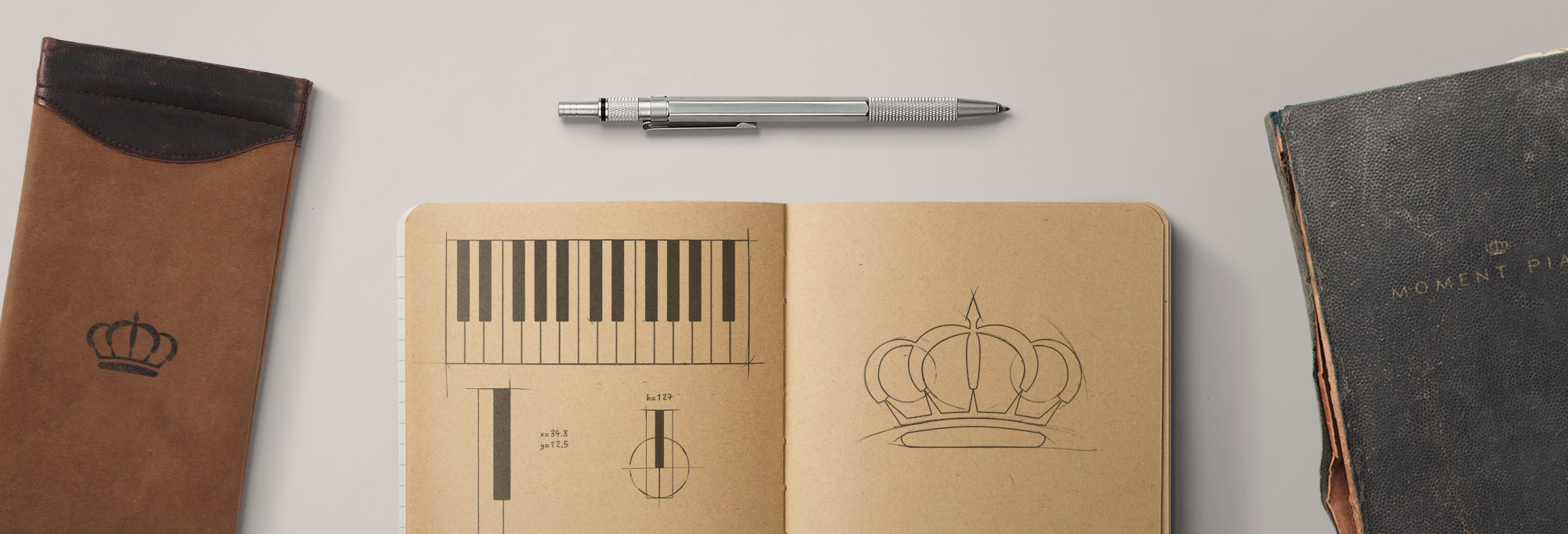
    <p>Twitter, Facebook and other social platforms uses primarily square profile pictures. Squeezing your logo (icon + name) is not optimal. Most of the time I just go with the icon.</p><p>Hope this was helpful! To wrap things up, below are a couple of logos I’ve made:</p>  </div>

        <img class="full-width rounded" loading="lazy" src="https://uiuxassets.com/media/pages/blog/how-to-create-your-own-logo/5f572ed96f-1749935912/logo-uiuxassets.png" srcset="https://uiuxassets.com/media/pages/blog/how-to-create-your-own-logo/5f572ed96f-1749935912/logo-uiuxassets-960x.png 960w, https://uiuxassets.com/media/pages/blog/how-to-create-your-own-logo/5f572ed96f-1749935912/logo-uiuxassets-1440x.png 1440w, https://uiuxassets.com/media/pages/blog/how-to-create-your-own-logo/5f572ed96f-1749935912/logo-uiuxassets-2880x.png 2880w" width="2400" height="1600" alt="">
  

        <img class="full-width rounded" loading="lazy" src="https://uiuxassets.com/media/pages/blog/how-to-create-your-own-logo/8bed9bc61b-1749935912/logo-flowychart.png" srcset="https://uiuxassets.com/media/pages/blog/how-to-create-your-own-logo/8bed9bc61b-1749935912/logo-flowychart-960x.png 960w, https://uiuxassets.com/media/pages/blog/how-to-create-your-own-logo/8bed9bc61b-1749935912/logo-flowychart-1440x.png 1440w, https://uiuxassets.com/media/pages/blog/how-to-create-your-own-logo/8bed9bc61b-1749935912/logo-flowychart-2880x.png 2880w" width="2400" height="1600" alt="">
  

        <img class="full-width rounded" loading="lazy" src="https://uiuxassets.com/media/pages/blog/how-to-create-your-own-logo/af11599ad7-1749935912/logo-basicatom.png" srcset="https://uiuxassets.com/media/pages/blog/how-to-create-your-own-logo/af11599ad7-1749935912/logo-basicatom-960x.png 960w, https://uiuxassets.com/media/pages/blog/how-to-create-your-own-logo/af11599ad7-1749935912/logo-basicatom-1440x.png 1440w, https://uiuxassets.com/media/pages/blog/how-to-create-your-own-logo/af11599ad7-1749935912/logo-basicatom-2880x.png 2880w" width="2400" height="1600" alt="">
  

        <img class="full-width rounded" loading="lazy" src="https://uiuxassets.com/media/pages/blog/how-to-create-your-own-logo/b26e7e65d1-1749935912/logo-momentpiano.png" srcset="https://uiuxassets.com/media/pages/blog/how-to-create-your-own-logo/b26e7e65d1-1749935912/logo-momentpiano-960x.png 960w, https://uiuxassets.com/media/pages/blog/how-to-create-your-own-logo/b26e7e65d1-1749935912/logo-momentpiano-1440x.png 1440w, https://uiuxassets.com/media/pages/blog/how-to-create-your-own-logo/b26e7e65d1-1749935912/logo-momentpiano-2880x.png 2880w" width="2400" height="1600" alt="">
  

        <img class="full-width rounded" loading="lazy" src="https://uiuxassets.com/media/pages/blog/how-to-create-your-own-logo/b3d9436845-1749935912/logo-momentpiano-process.jpg" srcset="https://uiuxassets.com/media/pages/blog/how-to-create-your-own-logo/b3d9436845-1749935912/logo-momentpiano-process-960x.jpg 960w, https://uiuxassets.com/media/pages/blog/how-to-create-your-own-logo/b3d9436845-1749935912/logo-momentpiano-process-1440x.jpg 1440w, https://uiuxassets.com/media/pages/blog/how-to-create-your-own-logo/b3d9436845-1749935912/logo-momentpiano-process-2880x.jpg 2880w" width="2000" height="681" alt="">
  
]]></content>
      
    </entry>
      <entry>
      <id>https://uiuxassets.com/blog/new-changelog-page</id>
      <link rel="alternate" href="https://uiuxassets.com/blog/new-changelog-page" />
      <title>New Changelog Page</title>
      <published>2019-08-10T17:20:00+00:00</published>
      <updated>2025-06-14T21:18:33+00:00</updated>

      
              <summary>We want to keep you in the loop, that's why we now have a page dedicated to updates and new releases. It's basically a chronologically ordered list of notable changes we make to our assets, check it out!</summary>
      
              <content type="html"><![CDATA[<p><img src="https://uiuxassets.com/media/pages/blog/new-changelog-page/60a755abe3-1749935913/new-changelog-page.jpg" width="2880" height="1200" alt="New Changelog Page"></p>  <div class="paragraph">
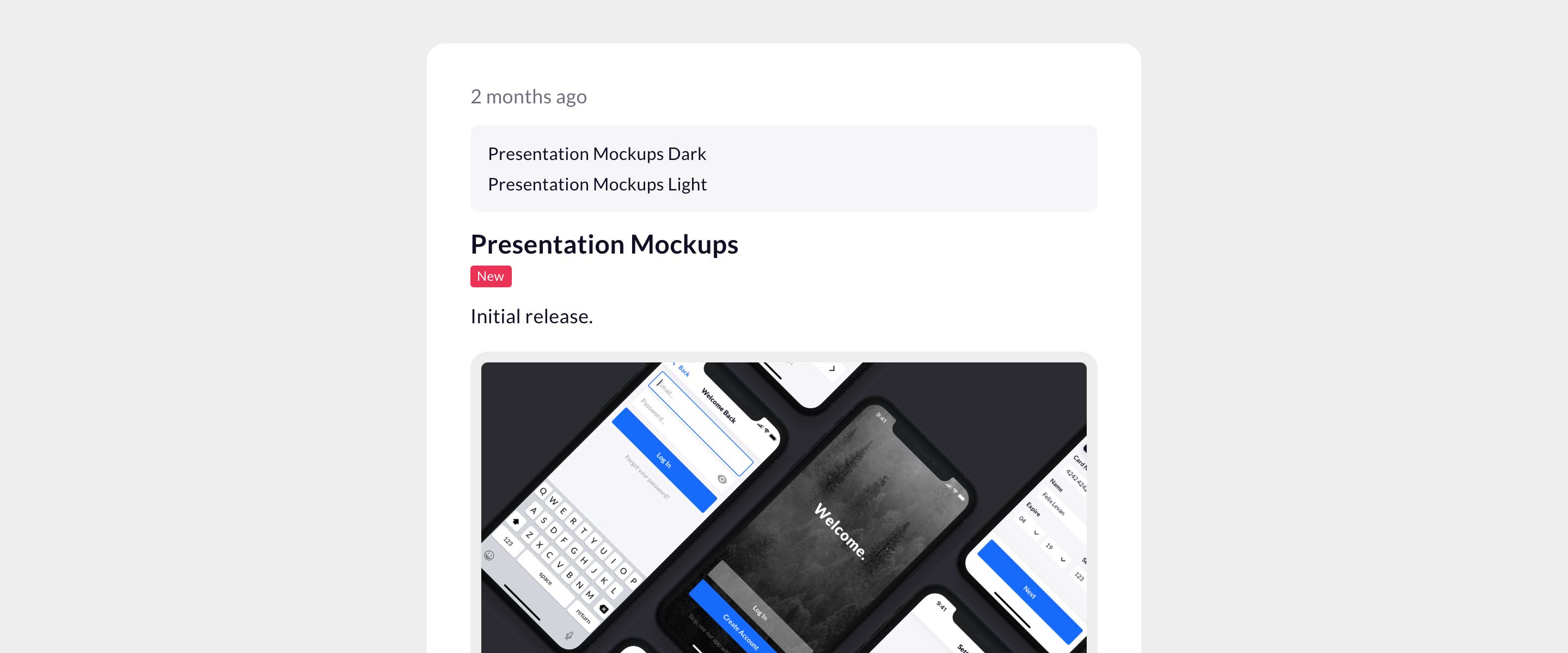
    <p>We want to keep you in the loop, that's why we now have a page dedicated to updates and new releases. It's basically a chronologically ordered list of notable changes we make to our assets, <a href="https://uiuxassets.com/changelog/" rel="noopener noreferrer nofollow">check it out</a>!</p>  </div>
]]></content>
      
    </entry>
      <entry>
      <id>https://uiuxassets.com/blog/how-to-create-nested-symbols-in-sketch</id>
      <link rel="alternate" href="https://uiuxassets.com/blog/how-to-create-nested-symbols-in-sketch" />
      <title>How to Create Nested Symbols in Sketch</title>
      <published>2018-04-09T11:35:00+00:00</published>
      <updated>2025-06-14T21:18:34+00:00</updated>

      
              <summary>Creating symbols in Sketch is a great way to improve your workflow by staying organized and keeping your design consistent. In this tutorial we'll create a symbol inside another symbol, called "nested symbol".Below is the final result of this teeny-tiny tutorial. What's shown is the same symbol but with different overrides.</summary>
      
              <content type="html"><![CDATA[<p><img src="https://uiuxassets.com/media/pages/blog/how-to-create-nested-symbols-in-sketch/940dccfedd-1749935914/how-to-create-nested-symbols-in-sketch.jpg" width="2720" height="1360" alt="How to Create Nested Symbols in Sketch"></p>  <div class="paragraph">
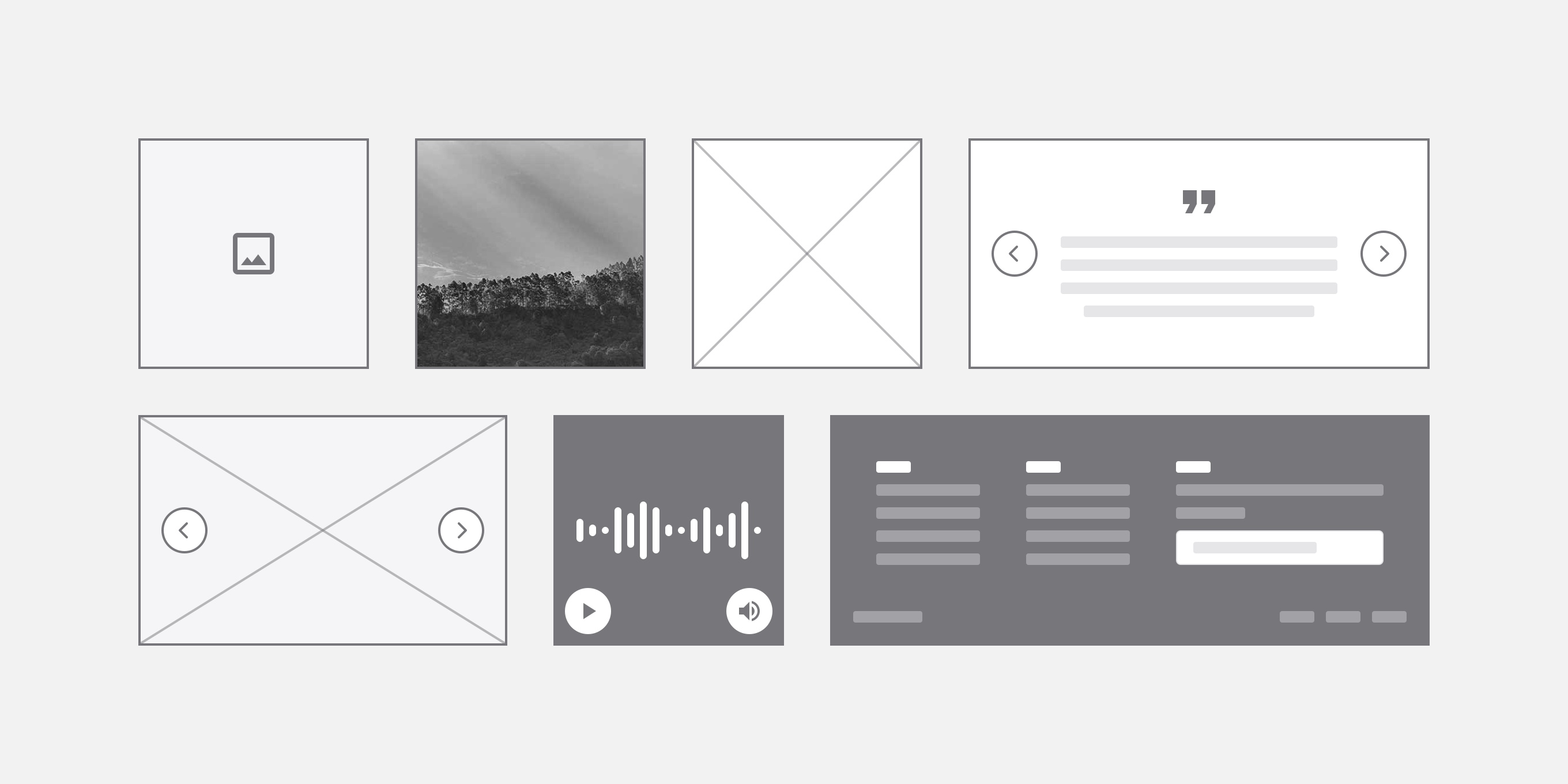
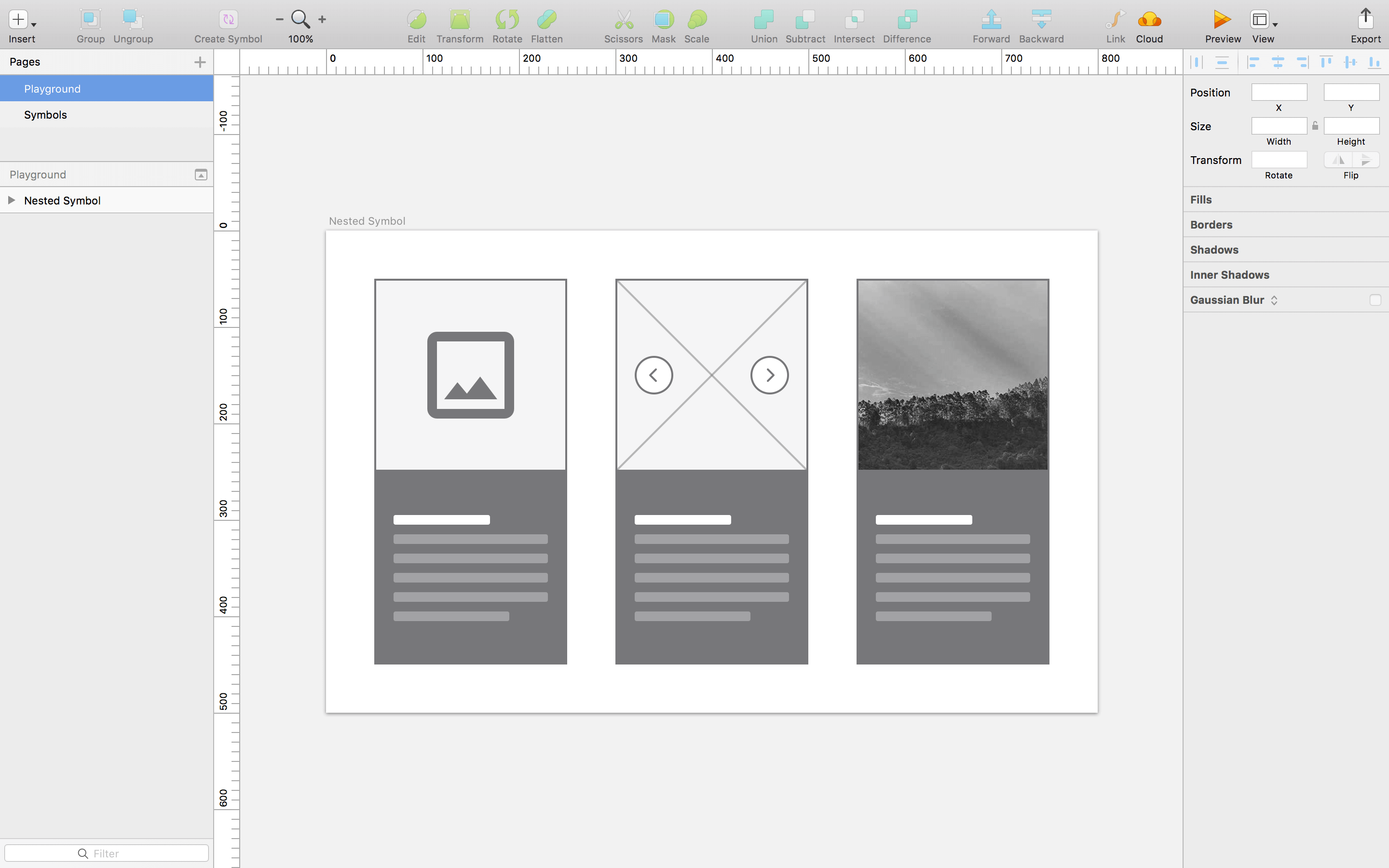
    <p>Creating symbols in Sketch is a great way to improve your workflow by staying organized and keeping your design consistent. In this tutorial we'll create a symbol inside another symbol, called "nested symbol".</p><p>Below is the final result of this teeny-tiny tutorial. What's shown is the same symbol but with different overrides.</p>  </div>

        <img class="full-width border rounded" loading="lazy" src="https://uiuxassets.com/media/pages/blog/how-to-create-nested-symbols-in-sketch/50349e4048-1749935914/nested-symbols.png" srcset="https://uiuxassets.com/media/pages/blog/how-to-create-nested-symbols-in-sketch/50349e4048-1749935914/nested-symbols-960x.png 960w, https://uiuxassets.com/media/pages/blog/how-to-create-nested-symbols-in-sketch/50349e4048-1749935914/nested-symbols-1440x.png 1440w, https://uiuxassets.com/media/pages/blog/how-to-create-nested-symbols-in-sketch/50349e4048-1749935914/nested-symbols-2880x.png 2880w" width="2880" height="1800" alt="">
  
  <div class="paragraph">
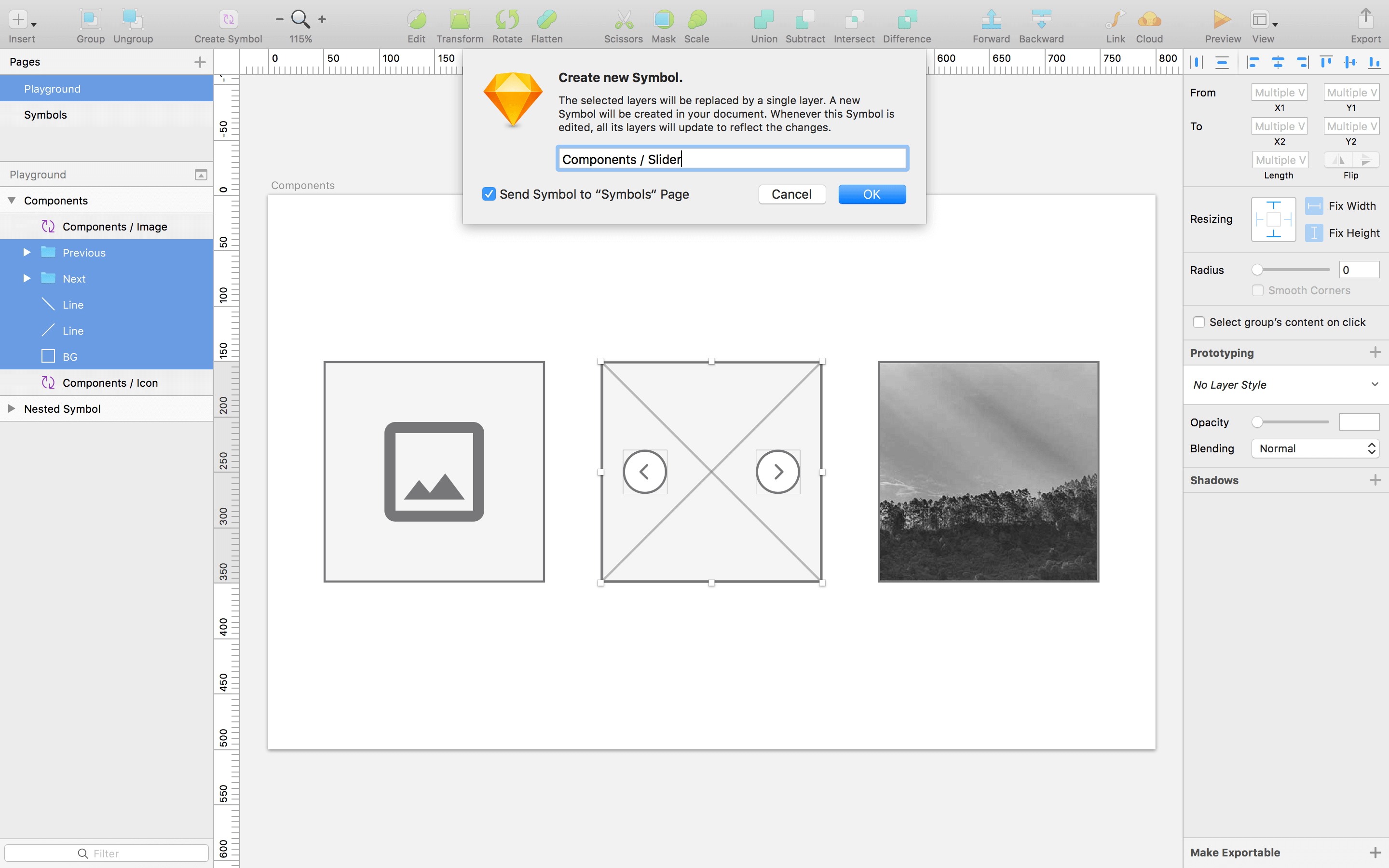
    <p>We'll start by creating three symbols. Note that each symbol have to be the same size in order for you to switch between them.</p>  </div>

        <img class="full-width border rounded" loading="lazy" src="https://uiuxassets.com/media/pages/blog/how-to-create-nested-symbols-in-sketch/580e19195c-1749935913/components.png" srcset="https://uiuxassets.com/media/pages/blog/how-to-create-nested-symbols-in-sketch/580e19195c-1749935913/components-960x.png 960w, https://uiuxassets.com/media/pages/blog/how-to-create-nested-symbols-in-sketch/580e19195c-1749935913/components-1440x.png 1440w, https://uiuxassets.com/media/pages/blog/how-to-create-nested-symbols-in-sketch/580e19195c-1749935913/components-2880x.png 2880w" width="2880" height="1800" alt="">
  
  <div class="paragraph">
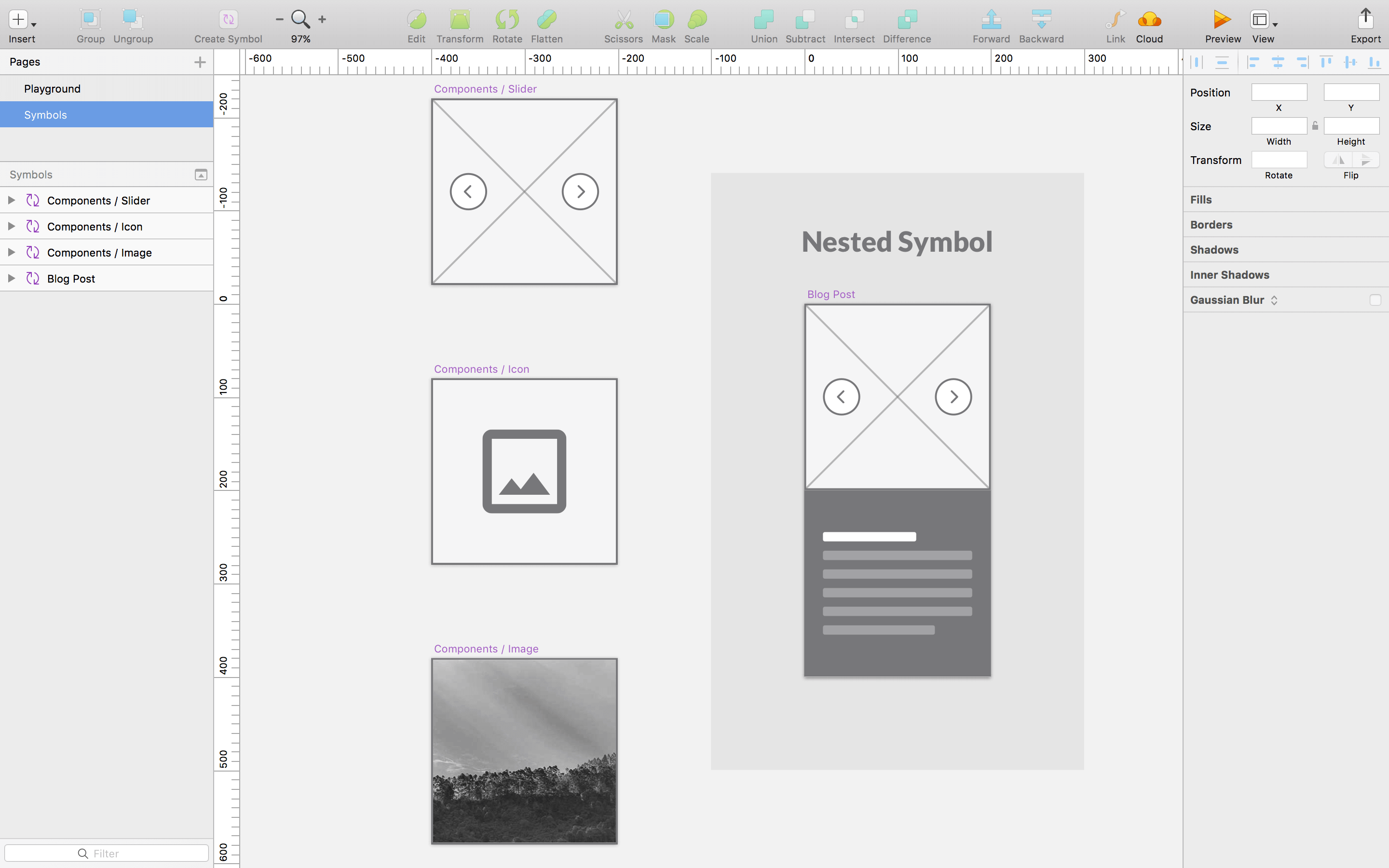
    <p>Now that we’ve created some symbols, let's place one of them in a new symbol; our master symbol.</p>  </div>

        <img class="full-width border rounded" loading="lazy" src="https://uiuxassets.com/media/pages/blog/how-to-create-nested-symbols-in-sketch/2648a373de-1749935914/symbols.png" srcset="https://uiuxassets.com/media/pages/blog/how-to-create-nested-symbols-in-sketch/2648a373de-1749935914/symbols-960x.png 960w, https://uiuxassets.com/media/pages/blog/how-to-create-nested-symbols-in-sketch/2648a373de-1749935914/symbols-1440x.png 1440w, https://uiuxassets.com/media/pages/blog/how-to-create-nested-symbols-in-sketch/2648a373de-1749935914/symbols-2880x.png 2880w" width="2880" height="1800" alt="">
  
  <div class="paragraph">
    <p>And voilà! You now have an awesome nested symbol! This is a very basic version but there’s no limit to how deep you can nest Symbols.</p>  </div>
  <h2 class="title-h3">Hide overrides</h2>
  <div class="paragraph">
    <p>If you have a text layer, an image or a symbol inside another symbol that you don't want to be overridden, simply lock that layer.</p>  </div>
]]></content>
      
    </entry>
      <entry>
      <id>https://uiuxassets.com/blog/resizable-arrows-in-sketch</id>
      <link rel="alternate" href="https://uiuxassets.com/blog/resizable-arrows-in-sketch" />
      <title>Resizable Arrows in Sketch</title>
      <published>2017-06-21T18:30:00+00:00</published>
      <updated>2025-06-14T21:18:35+00:00</updated>

      
              <summary>Arrows are very useful when working with wireframes or flowcharts but there are no native arrow capabilities in Sketch. The good news is that it’s pretty easy to create one.</summary>
      
              <content type="html"><![CDATA[<p><img src="https://uiuxassets.com/media/pages/blog/resizable-arrows-in-sketch/a78e05a838-1749935915/resizable-arrows-in-sketch.jpg" width="2880" height="1152" alt="Resizable Arrows in Sketch"></p>  <div class="paragraph">
    <p>Arrows are very useful when working with wireframes or flowcharts but there are no native arrow capabilities in Sketch. The good news is that it’s pretty easy to create one.</p>  </div>

        <img class="actual-size" loading="lazy" src="https://uiuxassets.com/media/pages/blog/resizable-arrows-in-sketch/fe2a8f8ff3-1749935915/arrow.png" srcset="https://uiuxassets.com/media/pages/blog/resizable-arrows-in-sketch/fe2a8f8ff3-1749935915/arrow-960x.png 960w, https://uiuxassets.com/media/pages/blog/resizable-arrows-in-sketch/fe2a8f8ff3-1749935915/arrow-1440x.png 1440w, https://uiuxassets.com/media/pages/blog/resizable-arrows-in-sketch/fe2a8f8ff3-1749935915/arrow-2880x.png 2880w" width="160" height="32" alt="">
  
  <div class="paragraph">
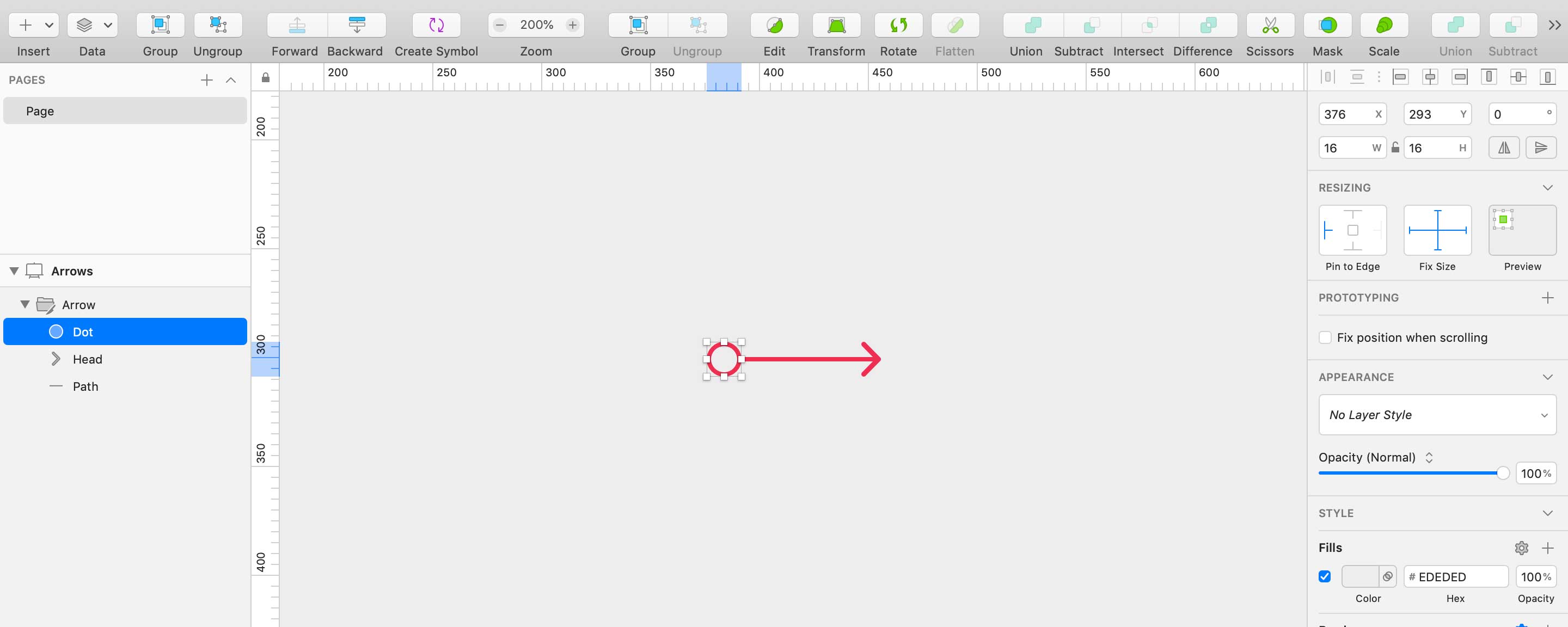
    <p>Now that’s a beautiful one, here’s what we need to do to make it resizable:</p>  </div>
  <div class="paragraph">
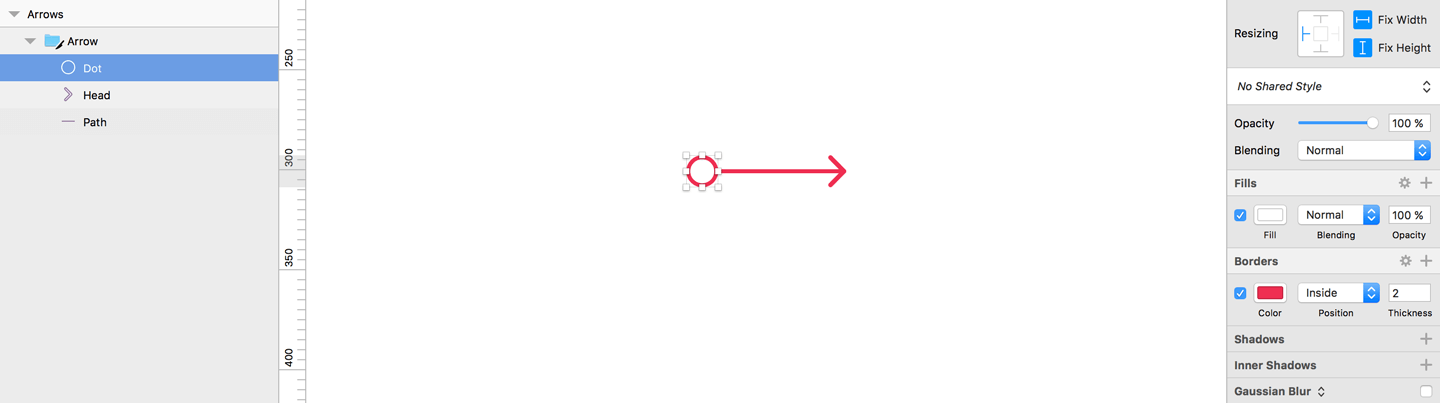
    <ul><li><p>Put all your layers in a folder</p></li><li><p>Select the arrowhead layers</p></li><li><p>On the right side in the inspector there is a “Resizing” dropdown</p></li><li><p>Select “Pin to corner”</p></li></ul>  </div>

        <img class="full-width border rounded" loading="lazy" src="https://uiuxassets.com/media/pages/blog/resizable-arrows-in-sketch/da188b8f89-1749935915/arrow-pin-to-corner.png" srcset="https://uiuxassets.com/media/pages/blog/resizable-arrows-in-sketch/da188b8f89-1749935915/arrow-pin-to-corner-960x.png 960w, https://uiuxassets.com/media/pages/blog/resizable-arrows-in-sketch/da188b8f89-1749935915/arrow-pin-to-corner-1440x.png 1440w, https://uiuxassets.com/media/pages/blog/resizable-arrows-in-sketch/da188b8f89-1749935915/arrow-pin-to-corner-2880x.png 2880w" width="1440" height="403" alt="">
  
  <div class="paragraph">
    <p>And we’re done. This is a very simple arrow but the possibilities are limitless. Hope this was helpful and happy Sketching!</p>  </div>
]]></content>
      
    </entry>
  
</feed>